Read aloud almost anything
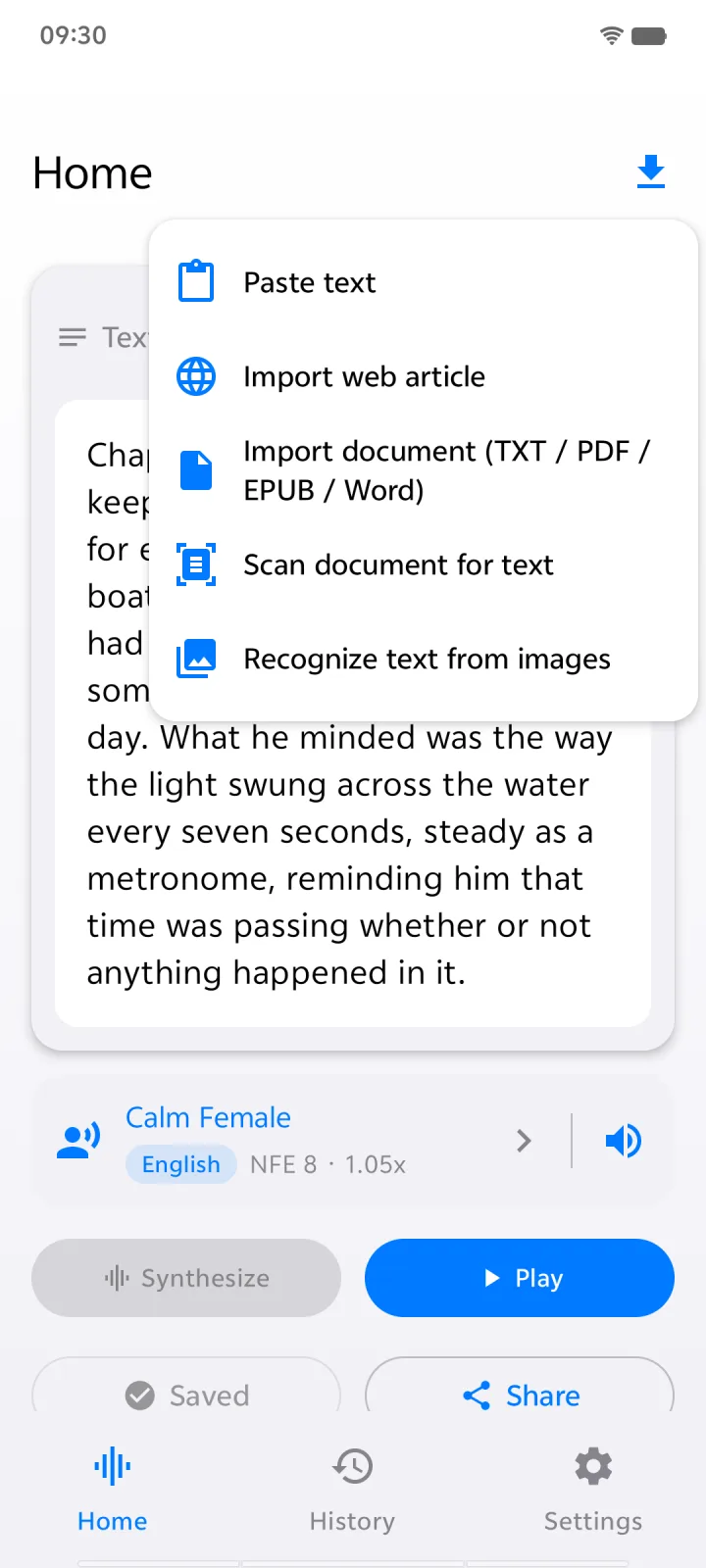
Import PDF, Word (DOCX), EPUB and TXT files. Paste a link and TextVoice keeps only the article text. Snap a photo of a book page and on-device OCR turns it into speech.
PDFDOCXEPUBTXTWeb linksPhotos (OCR)
Text to speech · iPhone, iPad & Android
TextVoice reads PDFs, ebooks, web articles and even photos of printed pages aloud in natural, human-sounding voices. The AI runs on your phone, so it works offline and your text never leaves your device.
Features
Import it, press play, and keep going with your day. TextVoice handles the long stuff, from a 40-page report to a whole ebook.
Import PDF, Word (DOCX), EPUB and TXT files. Paste a link and TextVoice keeps only the article text. Snap a photo of a book page and on-device OCR turns it into speech.
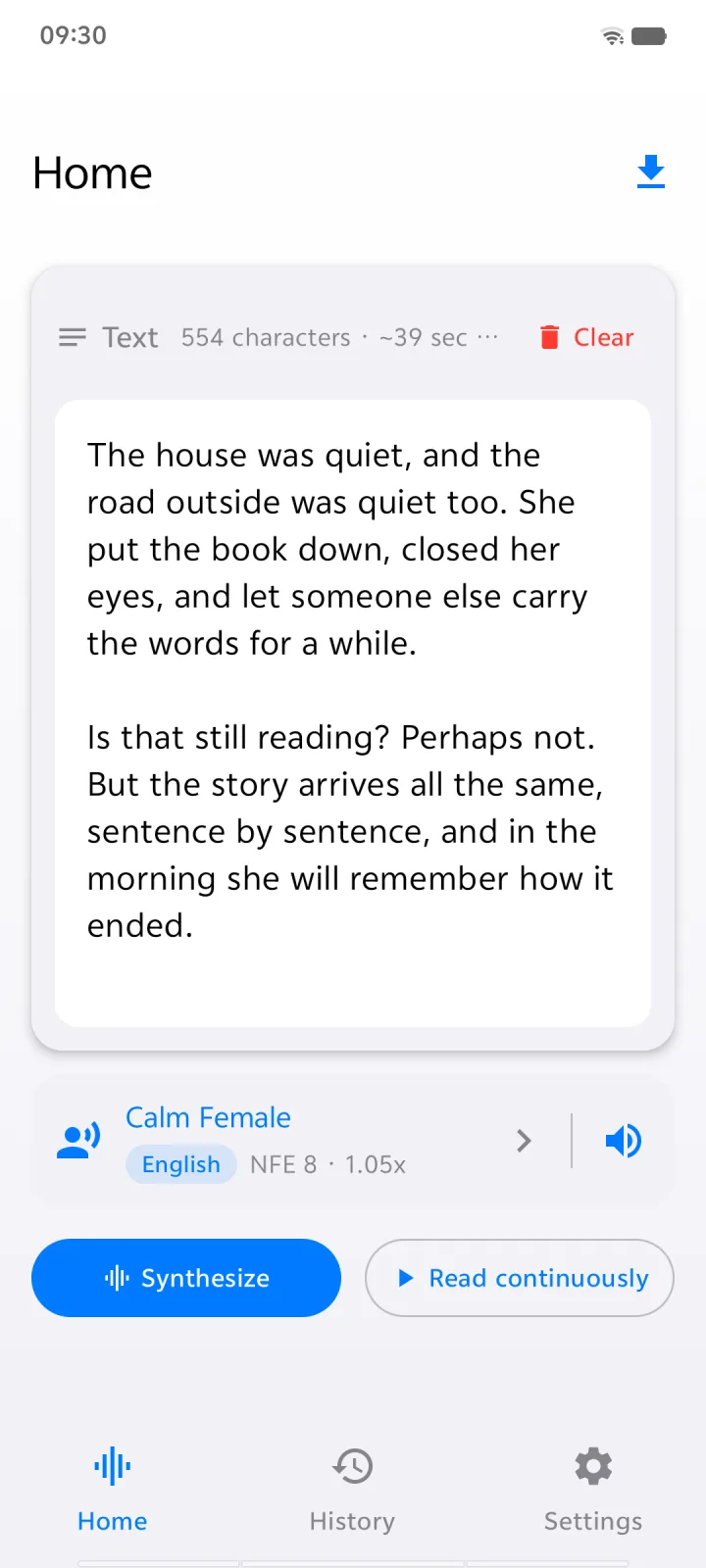
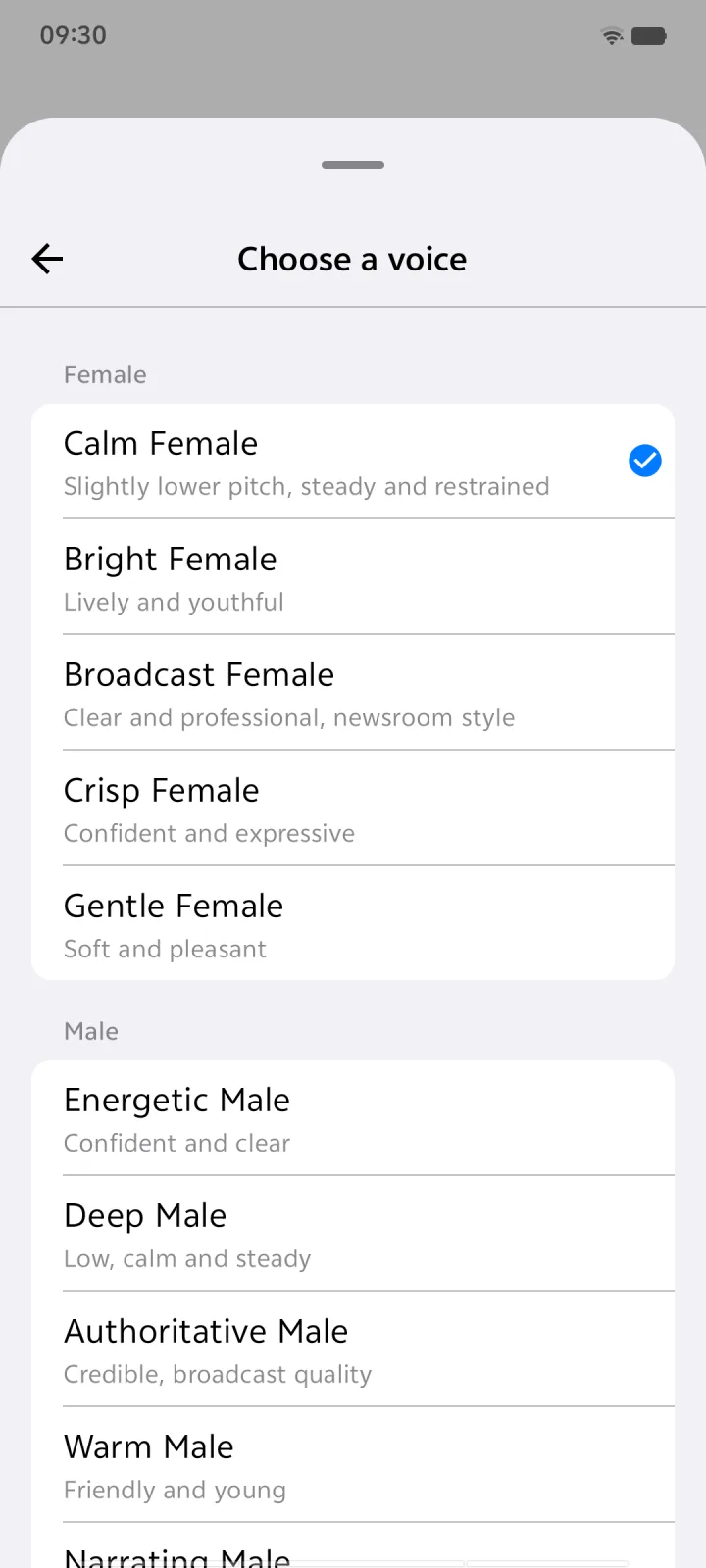
Calm, bright, warm, broadcast, storyteller. Five female and five male voices.
On a plane, in the subway, in airplane mode. Speech is generated on your phone, not on a server.
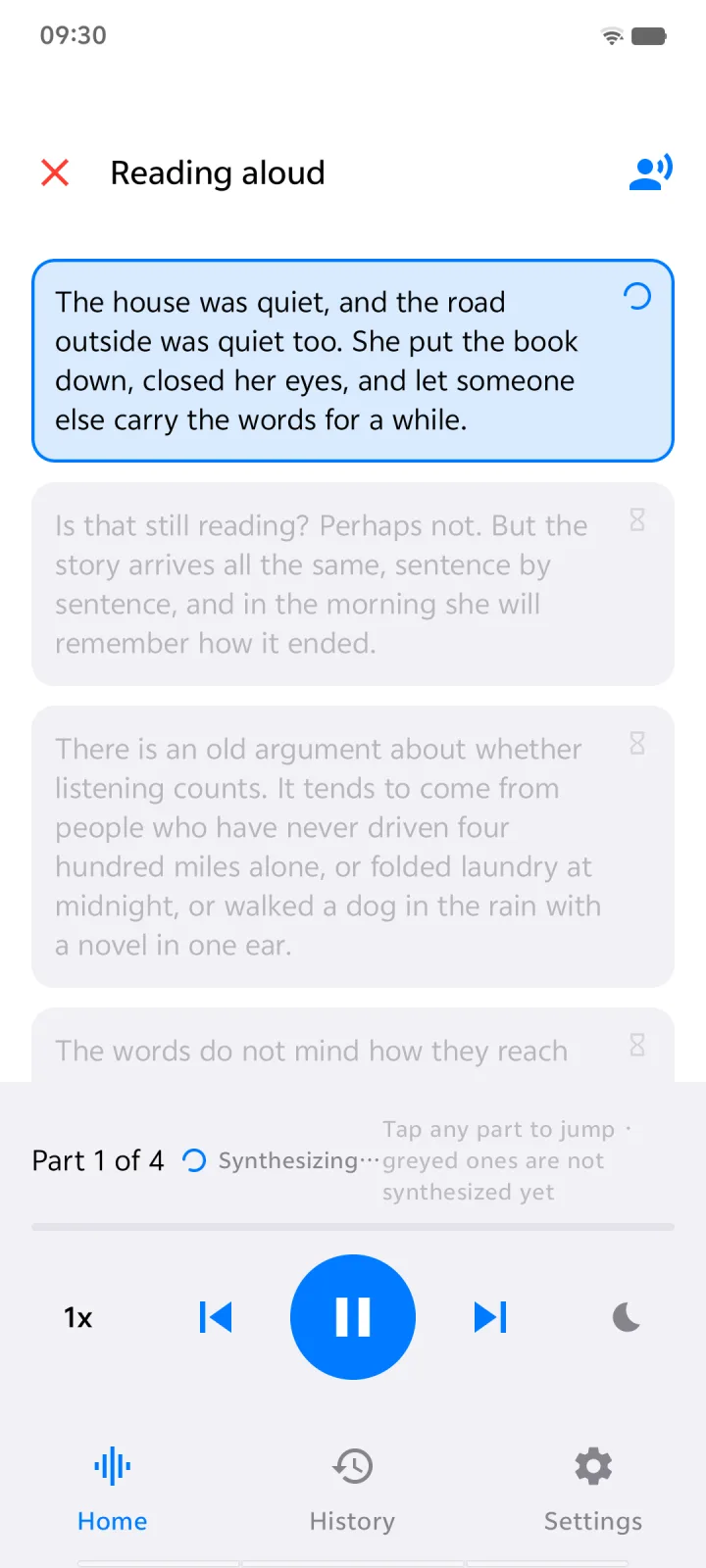
Long documents are split into parts and start playing right away while the rest is prepared.
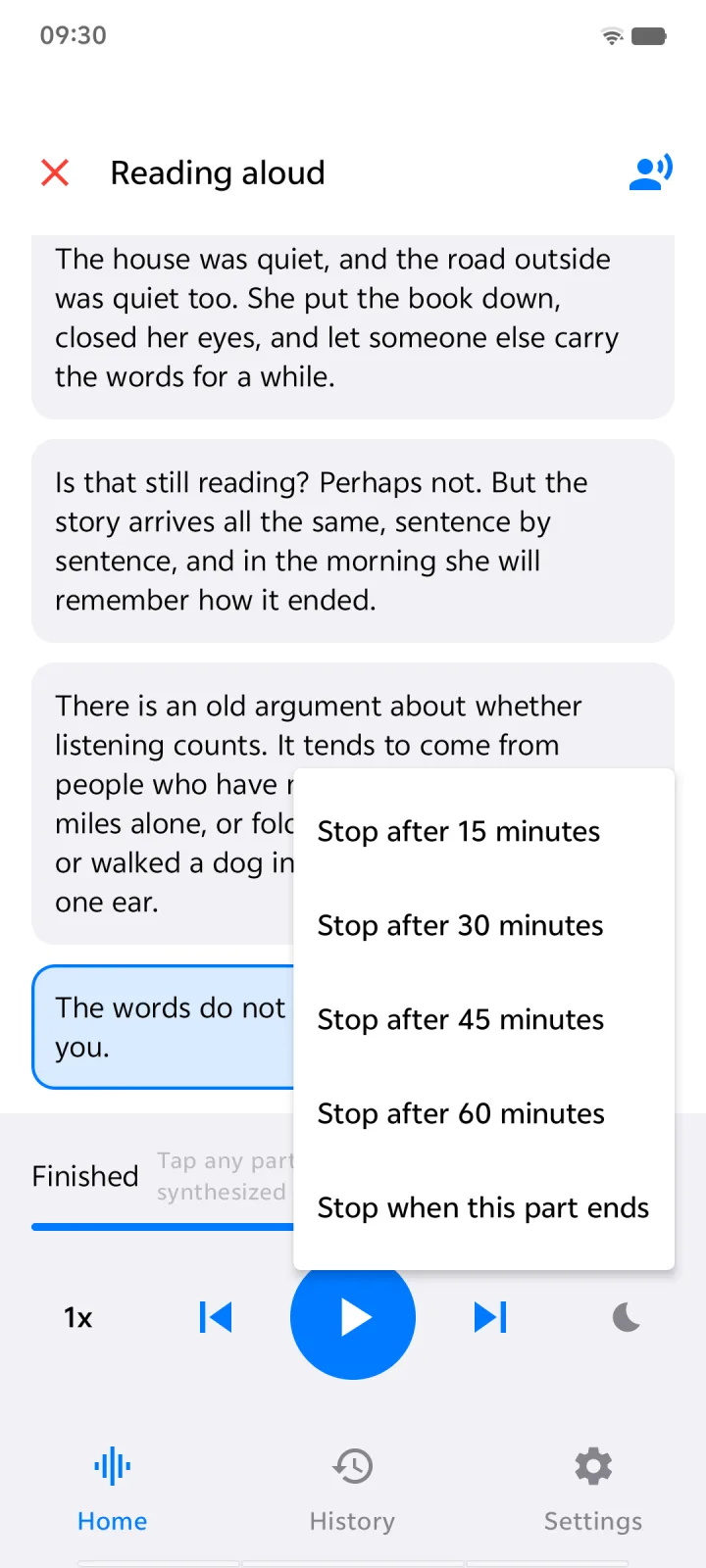
Stop after 15 to 60 minutes, or at the end of the current part. Speed control from slow to brisk.
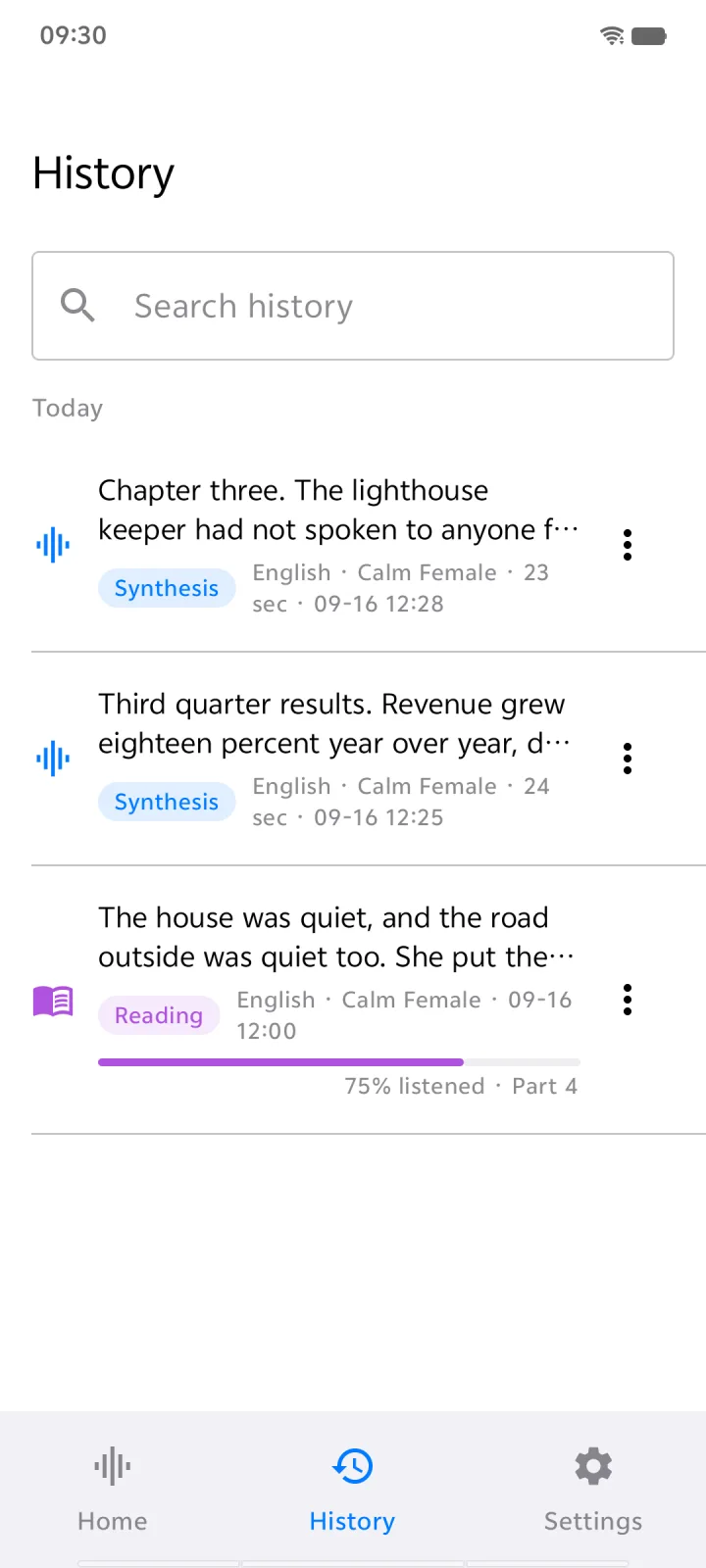
Every reading is saved to History with its progress. Tap any part to jump to it, and come back tomorrow to the exact sentence you stopped at.
Save any reading as an audio file to keep, share, or play in your podcast app. Your own audiobook, made from your own files.
Private by design
Most text to speech apps send your documents to a cloud server to be voiced. TextVoice carries the voice model with it, so contracts, medical notes, drafts and diaries are read aloud without ever being uploaded.
How it works
Import a file, paste a link, take a photo, or just type. Long documents are split into readable parts automatically.
Pick from ten natural voices and 31+ languages, and set the reading speed that suits you.
Listen with the screen off, in the background, with a sleep timer. Follow along as each part is highlighted.
Inside the app
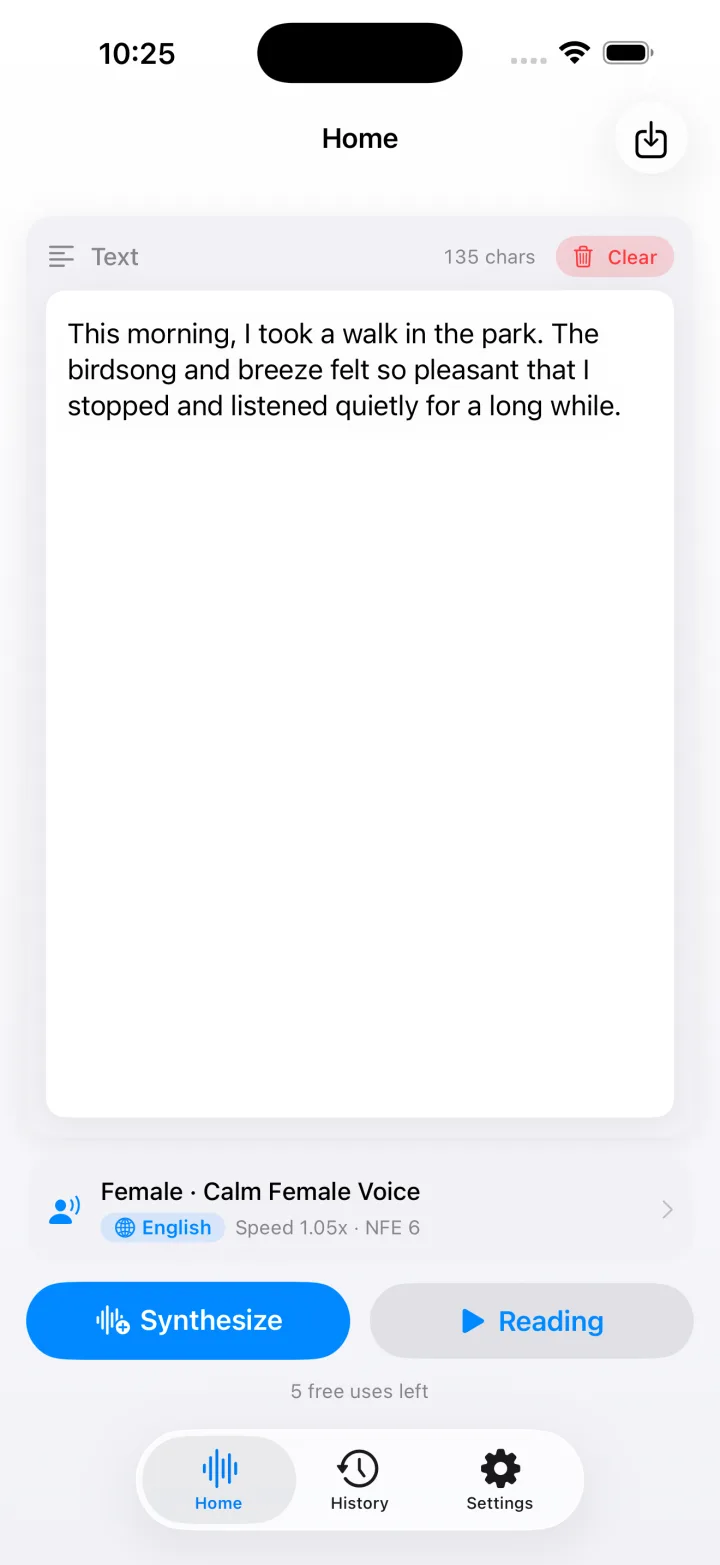
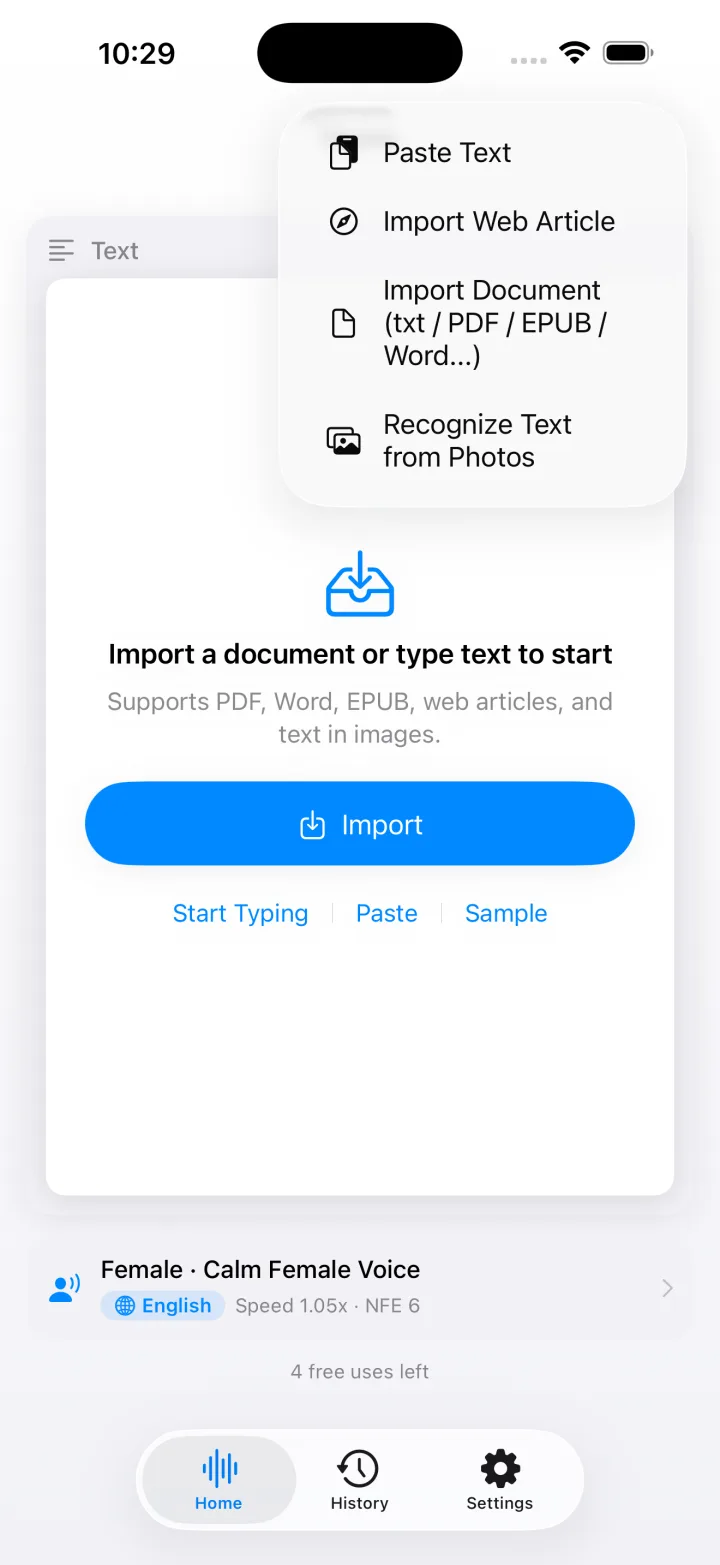
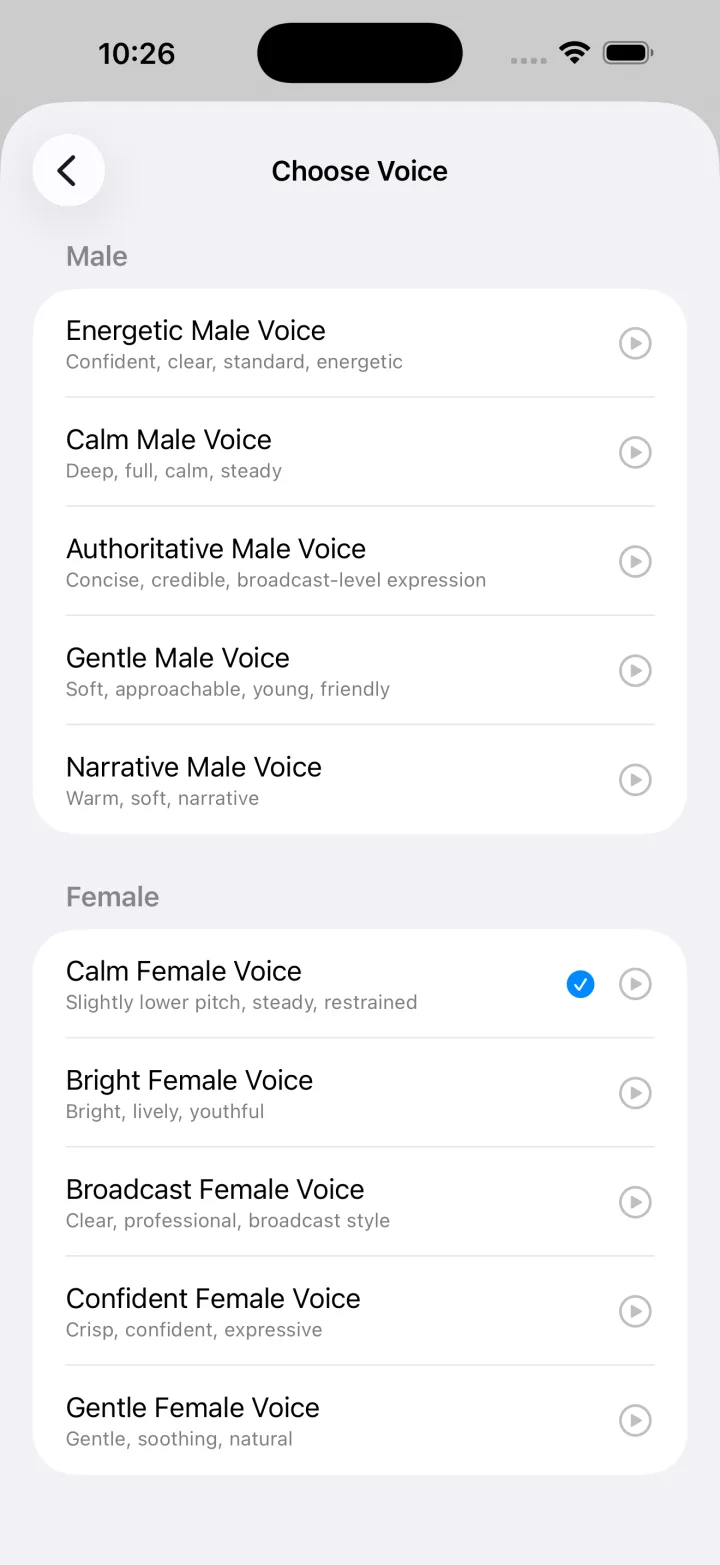
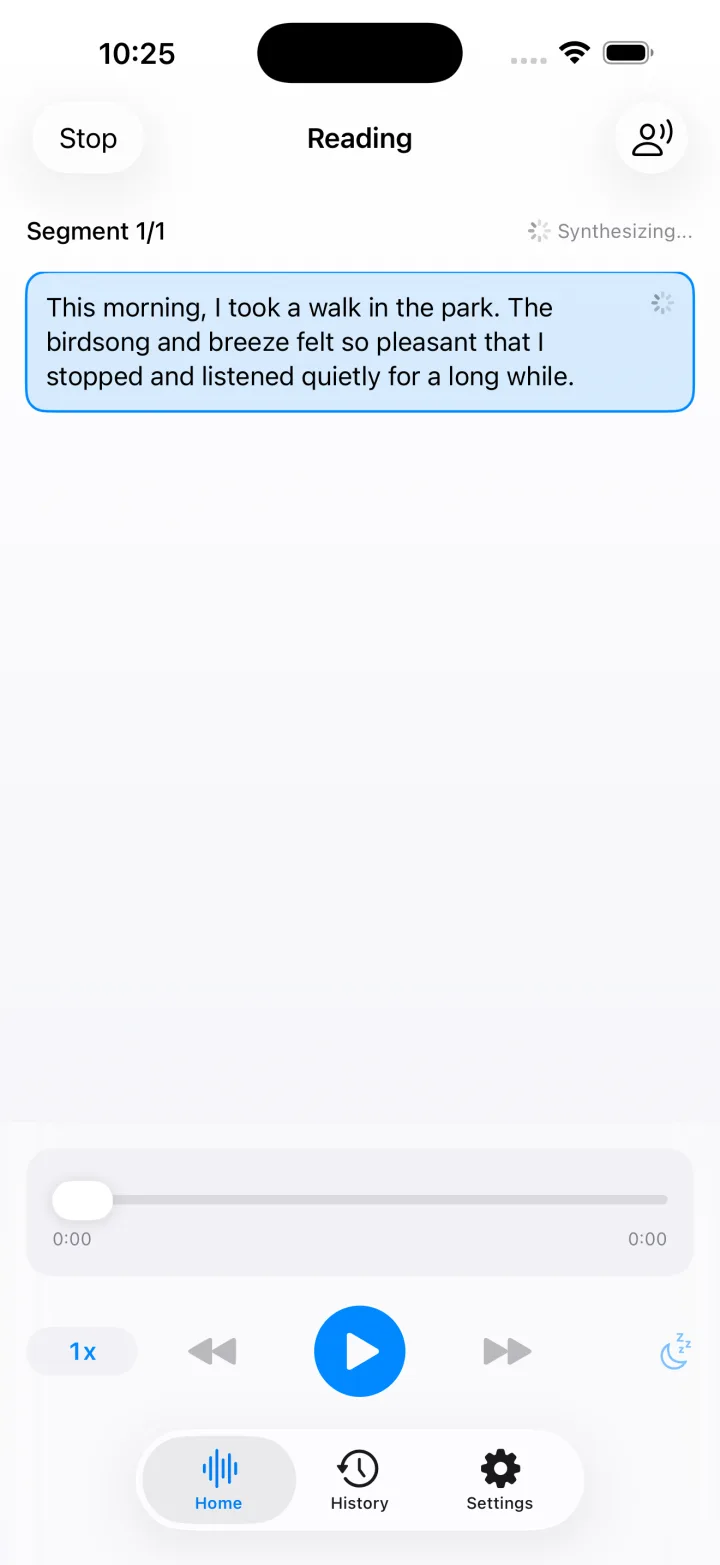
Voices & languages
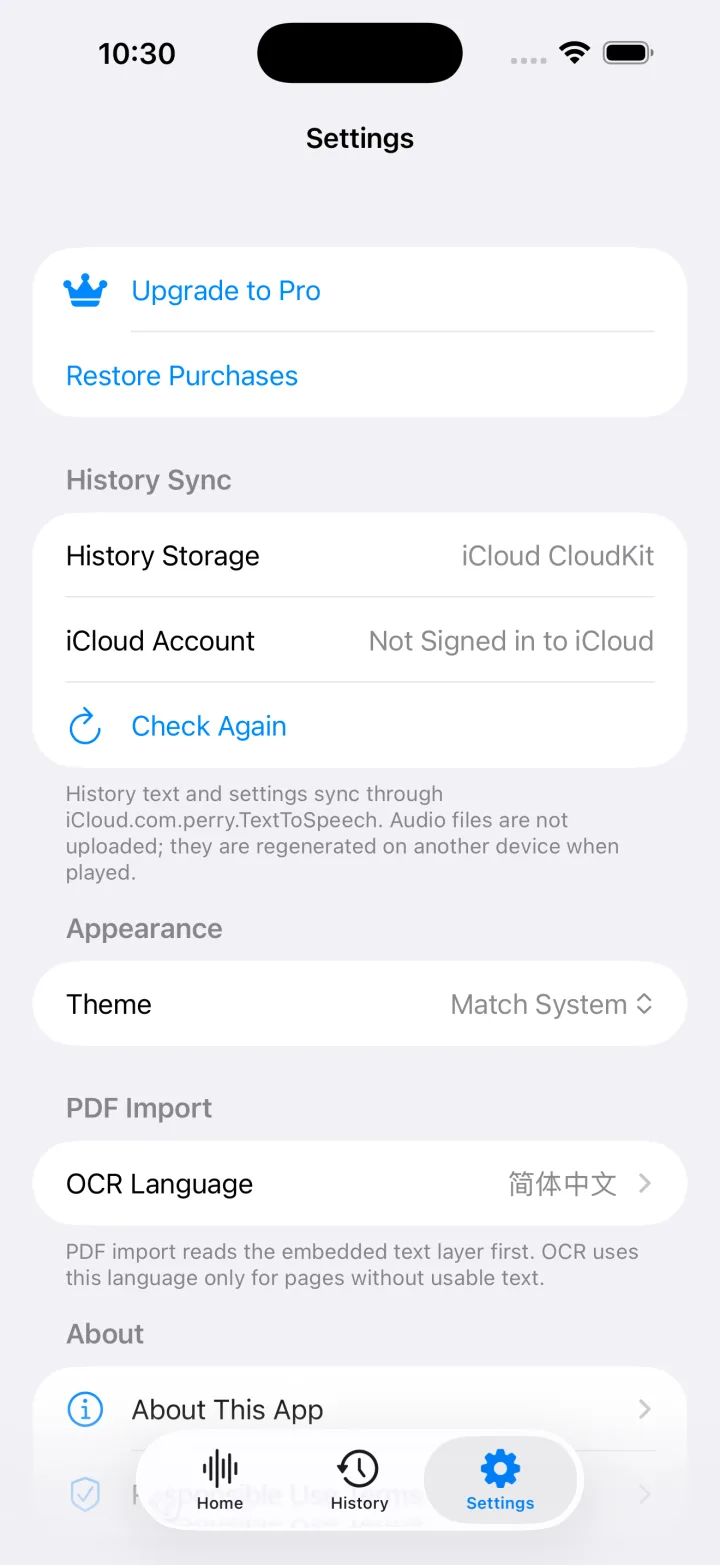
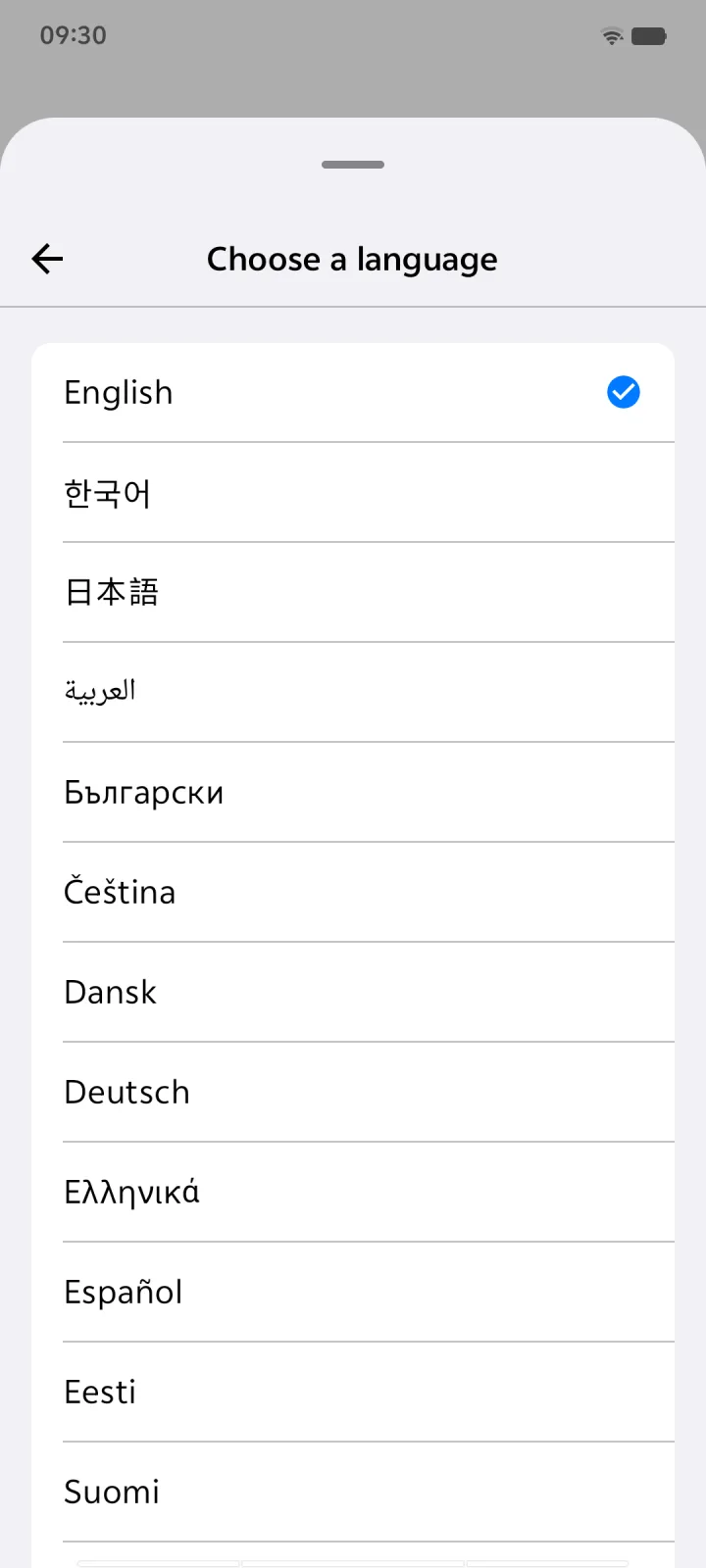
Switch language and voice any time. Great for language learners who want to hear how a text should sound.
Five female and five male voices, from bedtime-story soft to newsroom crisp.
All voices speak every language. Chinese is available on iPhone and iPad.
Download
Requires iOS 18 or iPadOS 18 or later.
Download on theApp StoreRequires Android 8.0 or later on a 64-bit phone.
Get it onGoogle PlayMade for
Get through articles, reports and newsletters while you drive, cook or work out.
Hear lecture notes and papers, or listen to a text in the language you are learning.
Typos and clumsy sentences jump out when you hear your writing read back.
A gentle companion for dyslexia, low vision and tired eyes. Listen instead of squinting.
Yes. Speech is generated on your device. On iPhone and iPad the voices ship inside the app. On Android you download the voice model once, and from then on everything runs offline. Importing a web article naturally needs a connection to fetch the page.
No. There is no account and no server. Your documents, photos and text are processed on your device and never uploaded. The app contains no analytics, advertising or tracking SDKs.
PDF, Word (DOCX), EPUB and TXT files, web articles from a pasted link, and photos or screenshots of printed text using on-device OCR. You can also type or paste text directly.
31 languages on both platforms, including English, Spanish, French, German, Japanese, Korean, Hindi, Arabic and Russian. The iPhone and iPad version also reads Chinese.
TextVoice is free to download and try. TextVoice Pro unlocks unlimited text to speech, continuous reading and unlimited saved history, as a monthly or yearly subscription or a one-time lifetime purchase. Subscriptions can be managed or canceled any time in your App Store or Google Play account.
Yes. Export any reading as M4A or WAV to keep it, share it, or play it in another app.
Free to try on iPhone, iPad and Android. No account needed.